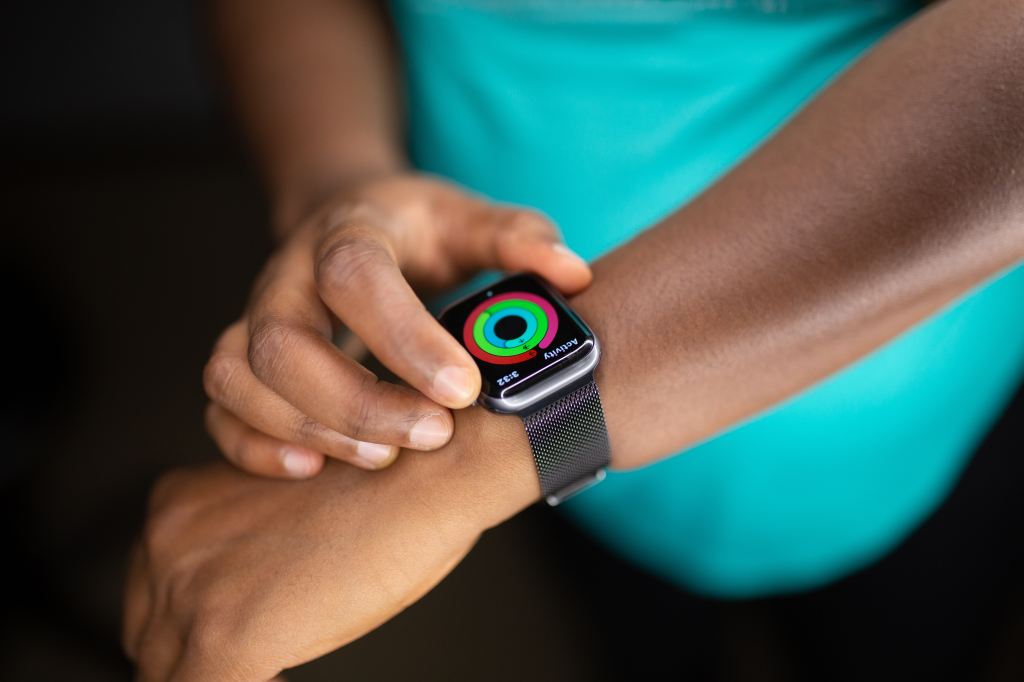
Are you one of the estimated 100 million Apple Watch users in the world? More importantly, are you using your Apple Watch effectively to achieve your health and fitness goals?
Today’s post is about using your Apple Watch (in conjunction with the Apple Health app) to achieve your weight management goals, whether you are seeking to maintain, lose, or gain weight.
Step 1: Set Up Apple Health
The first step is to update your personal information in the Apple Health app on your iPhone (and soon, your iPad). This includes your height, weight, gender, and age.
The more accurate your personal information is, the more accurate the calorie calculations will be.
Step 2: Estimate Your Total Daily Energy Expenditure (TDEE)
I will highlight two relatively easy ways to go about this.
You can use the Apple Health app to estimate your Total Daily Energy Expenditure (TDEE). Your TDEE can be calculated by adding your Resting Energy (which estimates the energy your body uses while being minimally active) and your Active Energy (which estimates energy burned through physical activity and exercise). These numbers tend to become more reliable and consistent the longer you use your Apple Watch.
Alternatively, you can use an online “bodyweight tool” (i.e., a calorie calculator), such as the National Academy of Sports Medicine’s (NASM) bodyweight tool.
Step 3: Set Your Weight Management Goal
There are three types of weight management goals:
- Weight maintenance. You are trying to stay at your current weight. In this situation, you want to maintain an energy balance, where energy intake (food and drinks) equals energy expenditure.
- Weight loss. To lose weight, you need to be in a negative energy balance, where you are expending more energy than you are consuming. To lose 1 pound (0.45 kg) of body fat, you will need a caloric deficit of approximately 3,500 calories. If you consume 500 fewer calories per day than is required to maintain your current weight, you can lose 1 pound in a week. There are a couple of important caveats about weight loss. First, the 3,500-calorie “rule” is complex and dynamic. Second, do bear in mind the health risks of rapid weight loss, defined as losing more than 2 pounds per week.
- Weight gain. To gain weight (presumably lean muscle rather than body fat), you need to be in a positive energy balance, where you are consuming more energy than you expend. It takes an estimated 2,700 to 2,800 excess calories to build one pound of muscle. This number is highly dependent on individual factors, like level of training, starting body composition, genetics, and overall diet.
Step 4: Calculate Your Target Caloric Goal
For illustration purposes, I will use the example of a fictional but archetypal client seeking to lose some excess weight.
Jessica is a 25-year old female who works as an illustrator. She works at a computer all day and leads a sedentary lifestyle. She is 5 feet 5 inches tall and weighs 200 pounds. She has a Body Mass Index of 33.3, which technically places her in the category of “obese”. Jessica would like to lose 24 pounds over the next 3 months. Her TDEE is approximately 2,000 calories.
To lose 24 pounds over 3 months (i.e., 12 weeks), Jessica is looking at a weight loss target of 2 pounds per week (the safe upper limit for weight loss). This would require a caloric deficit of 1,000 calories per day for a start. (Note: Jessica’s caloric requirements will change as she loses weight. It will be important to continually monitor her TDEE and metabolism.)
Jessica should therefore set a target caloric goal of 1,000 calories.
Step 5: Decide How You Want to Achieve Your Caloric Goal
For weight loss, you can achieve a caloric deficit by reducing energy intake, increasing energy expenditure, or a combination of both.
Using the above example, Jessica, who is seeking to lose 2 pounds per week, can aim to reduce food intake by 500 calories per day and increase energy expenditure by 500 calories per day for a net caloric deficit of 1,000 calories per day.
Let’s take a deeper dive into strategies to reduce energy intake and increase energy expenditure.
Reducing Energy Intake
Reducing one’s energy intake is not as straightforward as eating less, although that should be part of the solution. Here are some tips:
- Eat smaller portions. This is one of the easiest ways to reduce your calorie intake. Simply put (and eat) less food on your plate.
- Choose low-calorie foods. Foods that are low in calories but high in nutrients can help you feel full without overeating.
- Drink water instead of sugary drinks. Sugary drinks are a major source of empty calories. Drinking water instead can help you reduce your calorie intake without sacrificing your hydration.
- Make gradual changes to your diet. Trying to change too much too quickly can be overwhelming and lead to giving up. Start by making small changes, such as cutting out one sugary drink or candy bar per day.
- Be mindful of your eating habits. Pay attention to how much you’re eating and how often you’re eating. This can help you identify areas where you can make changes.
- Don’t be afraid to ask for help. If you’re struggling to lose weight on your own, talk to your doctor, a registered dietitian, or a nutrition/health coach. They can help you develop a plan that is right for you.
Increase Energy Expenditure
To increase energy expenditure, you should increase exercise as well as physical activity.
Exercise contributes to increased energy expenditure in the following ways:
- Direct calorie burn. The longer the duration or the greater the intensity of exercise, the more calories you burn. Use the Workout app on your Apple Watch to track the calories burned during each exercise bout.
- Increased resting metabolic rate. Exercise can increase your resting metabolic rate (RMR). RMR is the number of calories your body burns at rest. When you exercise, your body builds muscle. Muscle tissue burns more calories than fat tissue, even at rest. So, as you build muscle through exercise, your RMR increases.
- Thermic effect of food: Exercise can also increase the thermic effect of food (TEF). TEF is the number of calories your body burns digesting and absorbing food. When you exercise, your body burns more calories digesting and absorbing food.
- Post-exercise oxygen consumption (EPOC): Exercise can also lead to a temporary increase in EPOC, the amount of calories your body burns after exercise as it recovers. EPOC can be significant, especially after high-intensity exercise.
It is also important to increase your physical activity throughout the day. Non-Exercise Activity Thermogenesis (NEAT) refers to the calories that you burn through everyday activities, such as fidgeting, walking around, and standing up. Increasing your NEAT can help you burn more calories throughout the day.
Step 6: Track, Review, Adjust
Energy In
The Apple Watch and Apple Health app do not (yet) have the native capability to track food intake. Instead, you can connect apps like MyFitnessPal to Apple Health.
Here are some general tips on how to track food intake:
- Choose a method that works for you. There are many different ways to track food intake, including using a food journal, a calorie-counting app, or even a simple spreadsheet. Choose a method that you are comfortable with and that you can stick with.
- Be as accurate as possible. When you are tracking your food intake, be as accurate as possible. This means weighing your food, reading food labels carefully, and being honest with yourself about what you are eating. It can help to take pictures of your food to remember what you ate and how much you ate.
- Track everything you eat and drink. This includes food and drinks consumed at home, at restaurants, and on the go. Remember to track snacks and condiments (e.g., ketchup, mayonnaise, barbecue sauce, maple syrup, and salad dressings) as they tend to be calorie-dense.
- Track your food intake regularly. Track your food intake every day, or at least most days, to get a more accurate picture of your eating habits.
- Don’t get discouraged. Tracking your food intake can be challenging, but keep at it and you will eventually see results.
Energy Out
Your Apple Watch will automatically track your Resting Energy and Active Energy. Bear in mind that every exercise modality differs in terms of intensity. For more accurate estimates of calories burned, use the Workout app to select the exact type of exercise.
It is also possible to link third-party exercise apps to your Apple Watch and the Apple Health app. Third-party apps are not necessarily more accurate than the Apple Watch in estimating energy expenditure. However, if you are using a dedicated exercise app to track your progress, consider linking it to your Apple Watch and Apple Health.
Review and Adjust
When you start losing weight, your energy needs may decrease as your body becomes more efficient at using energy. As a result, you may need to adjust your calorie intake or increase your physical activity to maintain a negative energy balance.
Reviewing your energy balance can help you stay on track to reach your goals. Here are some tips:
- Track your calorie intake and weight. This is the most important step in reviewing your energy balance.
- Calculate your energy needs. There are many online calculators available that can help you calculate your energy needs. These calculators will consider your age, gender, height, weight, and activity level.
- Compare your calorie intake and energy needs. If your calorie intake is lower than your energy needs, the negative energy balance will facilitate weight loss. If your calorie intake exceeds your energy needs, you may not lose the desired weight.
- Make adjustments as needed. If you are not losing weight as quickly as you would like, you may need to adjust your calorie intake or physical activity level.
The bottom line is that reviewing your energy balance provides a good starting point for understanding how to lose weight and reach your goals.
Key Takeaways
Technology like the Apple Watch and the Apple Health app can be great tools to help you achieve your weight management, health, and fitness goals. To recap, these are the six steps to use your Apple Watch to help you achieve your weight management goals:
- Set up Apple Health
- Estimate Your Total Daily Energy Expenditure
- Set Your Weight Management Goal
- Calculate Your Calorie Goal
- Decide How You Want to Achieve Your Calorie Goal
- Track, Review, Adjust
A few final thoughts:
- Be honest with yourself. It’s easy to underestimate how much you’re eating, especially if you’re not tracking your calories. Be as honest as possible when logging your food intake.
- Don’t be afraid to adjust your calorie goals. If you’re not seeing results after a few weeks, you may need to adjust your calorie goals. Talk to your doctor or a registered dietitian to get help setting realistic and achievable goals.
- Make gradual changes to your diet and exercise habits. Trying to change too much too quickly can be overwhelming and lead to discouragement. Start by making small changes, such as cutting out sugary drinks or adding an extra walk to your day.
- Find a support system. Losing weight can be challenging, so it’s helpful to have a support system in place. This could include friends, family, or a weight loss group.
- Factors, such as genetics, hormones, and medications, can play important roles in weight management. Energy balance is a good starting point, but it is not the only consideration.
 Intuitive Momentum